Make It Yours workspace editor
Choose Classic, Explorer, Notebook or Command for the entire application. Build a personal layout with your own navigation, icons, typography, page panels and shortcuts. Save up to six layouts.
KLYO LABS / FEATURES
Your clients, your next deal, your best proposal. A connected CRM you can arrange around the way you work.
Payment method required · Cancel before renewal
01 / A CLEARER SALES DAY
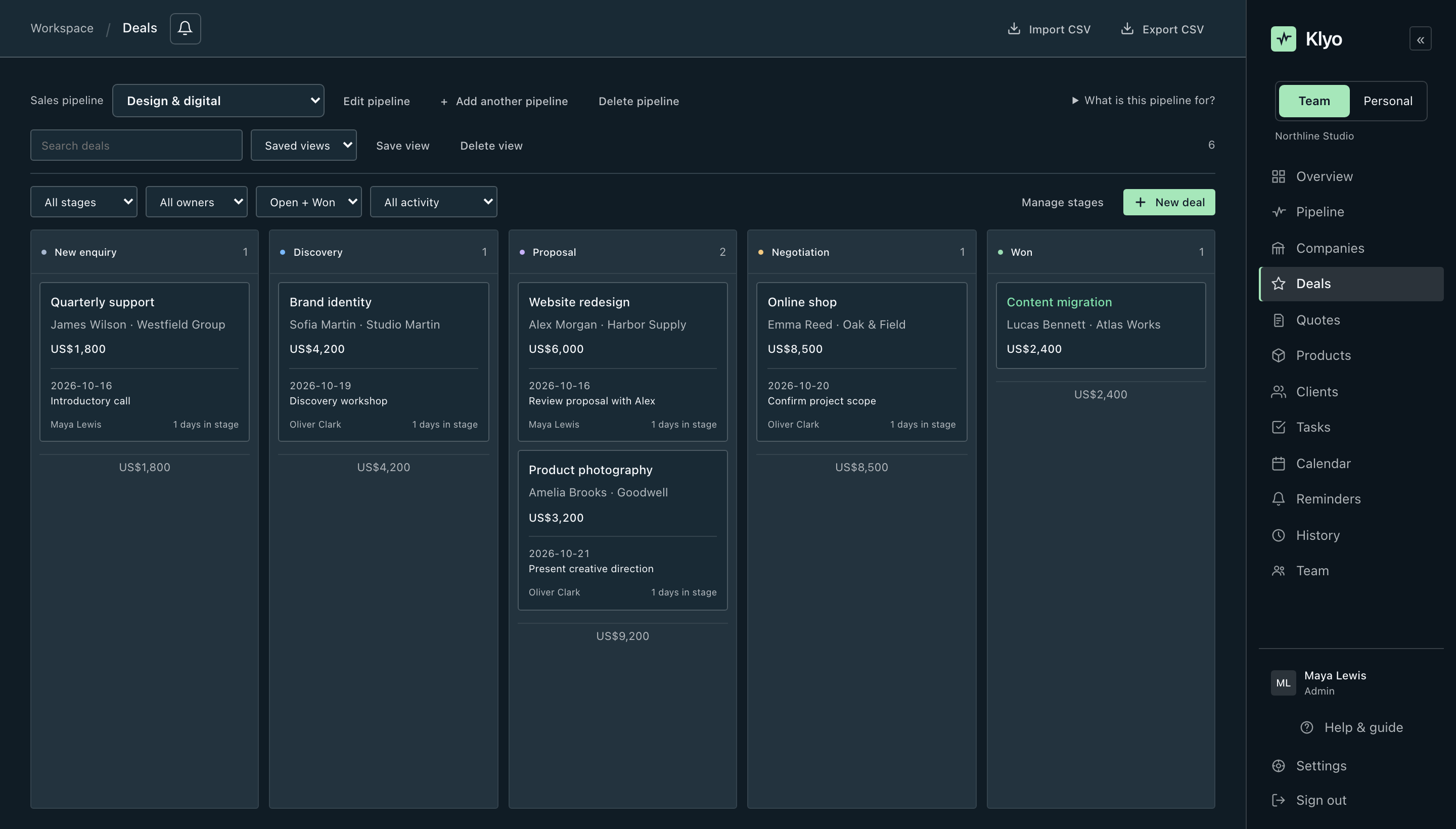
Keep people, companies and opportunities connected. Give every sales process its own pipeline and put the next action beside the deal.
02 / QUOTE CREATOR
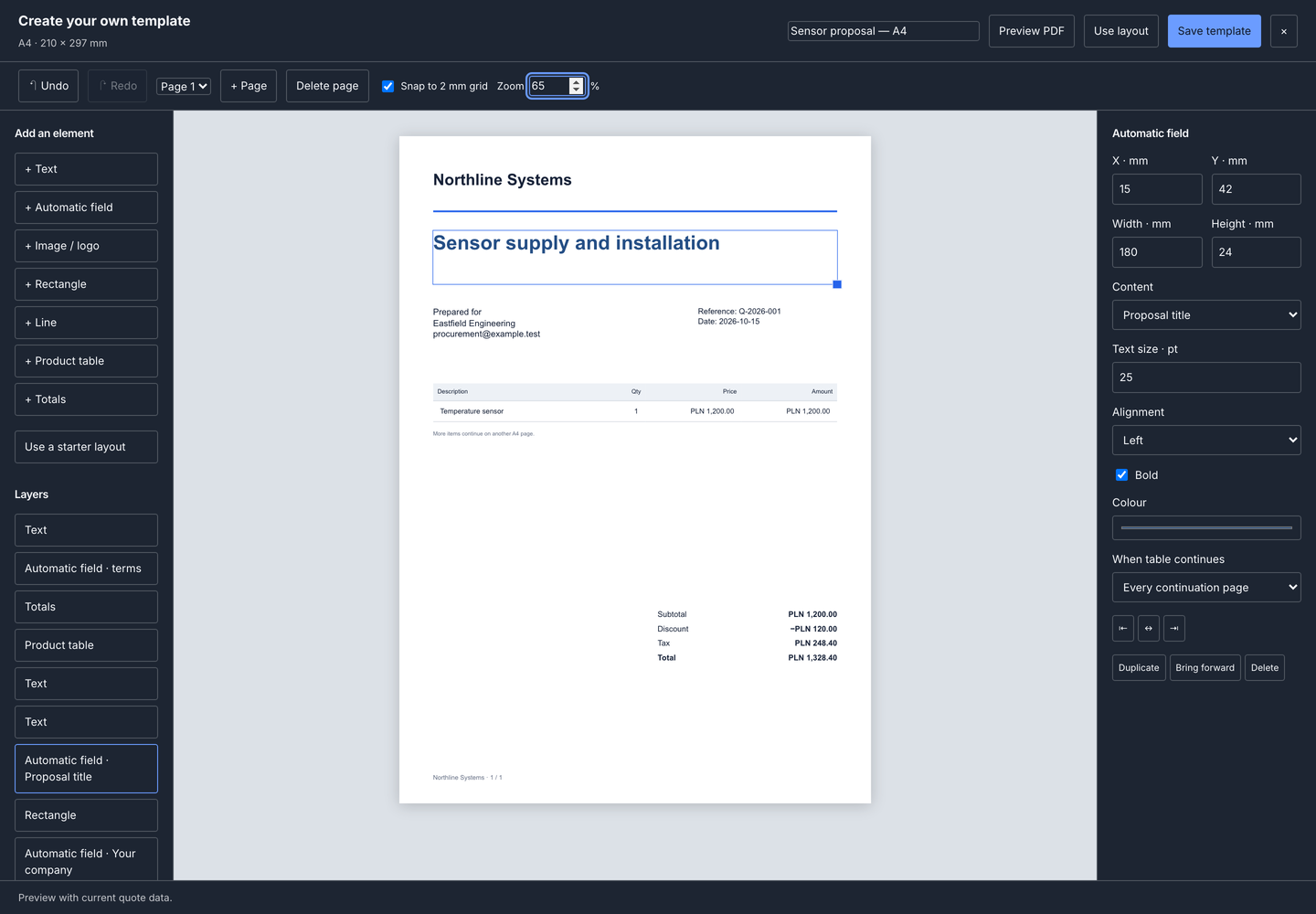
Start with a blank A4 page, not another document to fight with. Design the template, bring in your products and check the actual PDF before sharing it.
03 / MAKE IT YOURS
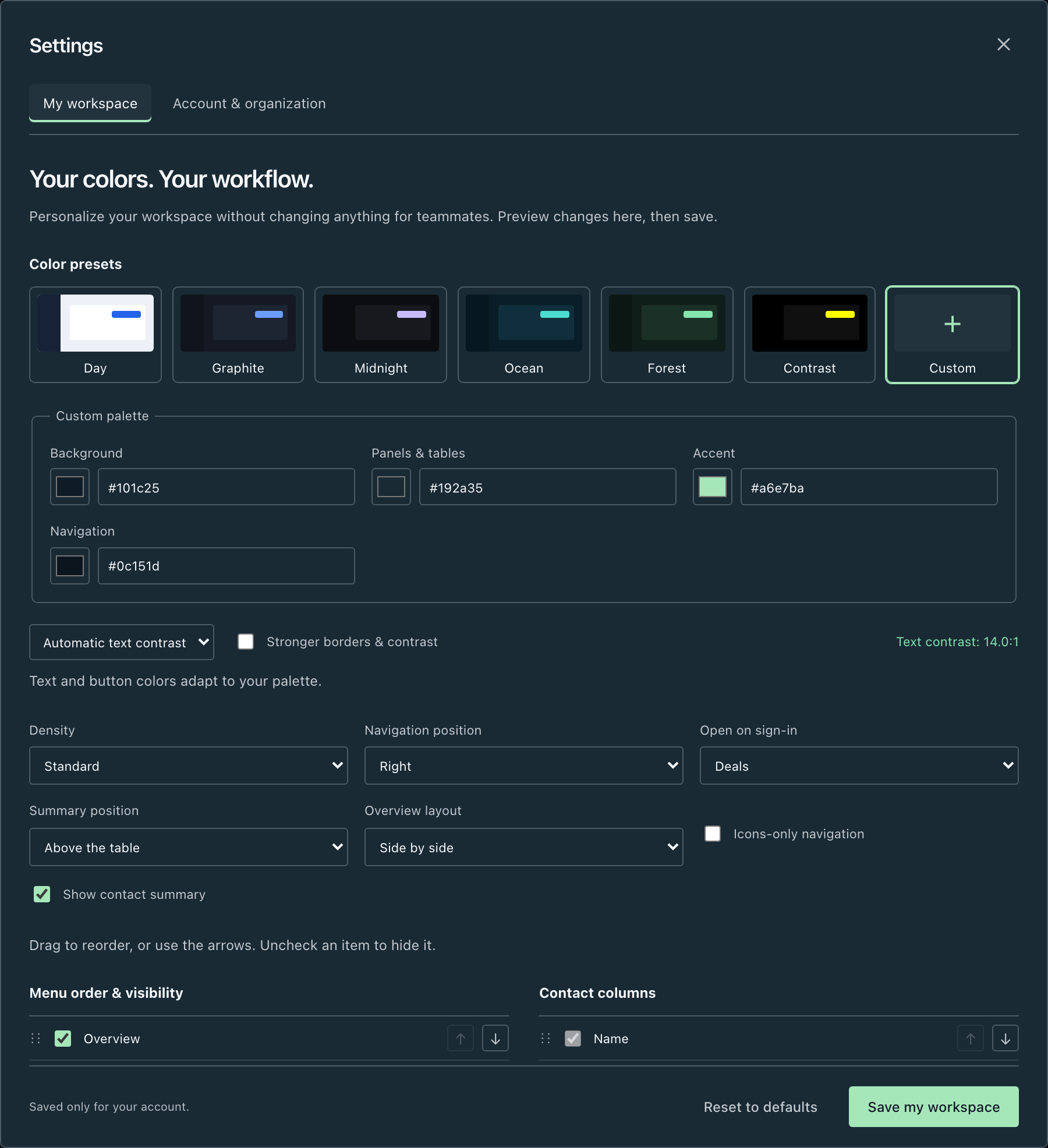
Choose Classic, Explorer, Notebook or Command. Then make the whole workspace yours: the menu, the colours, the panels and the shortcuts.
04 / FROM A WIN TO WHAT’S NEXT
Keep the client, quote and products connected to delivery. Projects, orders and service reminders carry the work forward.
Keep the agreed scope and client together.
Link the project, orders, people and tasks.
Track warranty periods and the next service review.
THE DETAILS, WHEN YOU NEED THEM
Open a section to explore the features behind the view.
Choose Classic, Explorer, Notebook or Command for the entire application. Build a personal layout with your own navigation, icons, typography, page panels and shortcuts. Save up to six layouts.
Place shortcuts for a new deal, contact, quote or task next to the information you use. Place global shortcuts in the header, work area or navigation footer.
Group modules into sections, use a simple list or choose two-column tiles. Adjust the menu width, move it left, right or to the top, rename sections and hide unused modules without deleting data.
Pick a theme or set your own background, panels and accent with automatic contrast. Reorder contact columns, change density and choose your starting page.
Connect people, owners, roles, tags, notes, company details, parent companies, subsidiaries, branches and departments.
Create named pipelines with their own purpose and stages. Use a board or table and keep independent processes separate.
Open dedicated results views, inspect the underlying deals and recorded loss reasons, and review value, win rate and time to win.
Set monthly targets for sales, new pipeline value, meetings and win rate. Inspect actual results, weighted forecasts, sources, age bands and pipeline health.
Keep useful filters, select records for supported bulk changes and export selected deals or reports.
Bring contacts and product data from spreadsheets with mapping and review. Find and merge duplicate contacts while retaining their history.
Start from a blank A4 page. Position and resize a logo, text, shapes, automatic dates and client fields, pricing tables and totals. Reuse your own templates.
Group a complete computer, then group its CPU and GPU inside it. List all components while choosing which group or component prices to disclose.
Apply item discounts, sub-group discounts, parent discounts and a whole-quote discount in a defined order with exact cent allocation.
Explicitly show or hide purchase costs, profit, margin and markup while composing. Owner-controlled access; internal costs are excluded from customer PDFs.
Generate the actual PDF, preview and download it, or attach the approved file to a message you choose to send.
Import CSV/XLSX price lists, choose a price list while quoting, track case/offer references and review payment and delivery terms in the register.
Describe the message in your language or request another output language. Review the draft and send it yourself; no automatic follow-ups.
Future won deals can create one project automatically. The owner can disable this, and existing projects are reused.
Link tasks, people, planned and actual hours, orders, documents and agreements. Owners review separate-currency revenue, purchasing, labor, expenses and profitability.
Manage customer, supplier and internal orders, serial numbers, delivery dates, acknowledgment, invoice references and payments. Generate a customized confirmation PDF.
Track instruments, serial numbers, condition, calibration dates, reservations, check-out and returns. Conflicting reservations are blocked.
Use dated tasks, sub-tasks, milestones, reminders, a Kanban board and an urgency/importance matrix.
Associate purchased products with customers, warranty periods and review dates. See due service reminders in the CRM.
Connect your private calendar, choose a calendar, view external events and explicitly copy or publish CRM appointments. Export CRM events as ICS. Explicitly linked ordinary iCloud appointments support optional two-way synchronization.
Import authorized mailboxes, including delegated shared mailboxes, link correspondence and attachments to CRM records and configure future inbound RFQ rules and SLA deadlines.
With configured provider access, browse the selected CRM folder, upload, download and link files to records. Provider account permissions and file limits apply.
Search and enrich contacts using your own authorized API key. Confirm credit use before enrichment and deduplicate imported contacts.
Fetch DHL tracking with your own approved API key. Other carriers use official tracking portals. Configure Fakturownia separately to review and explicitly issue invoices.
Switch between shared team records and your private workspace. Copy selected supported records from Team into independent Personal copies.
The team owner manages invitations, roles, audit history and internal margin access. The Platform administration page remains restricted to the platform owner.
SMS verification is required for registration and every sign-in. Each account uses a verified phone; one-time recovery codes help when SMS is unavailable.
Create your own fields for customer, company and product characteristics rather than forcing your process into fixed labels.
YOUR WORKSPACE IS NEXT
Payment method required · Cancel before renewal